Batch photo prep for marketplace sellers
Turn a folder of product photos into listing-ready JPEGs in one run.
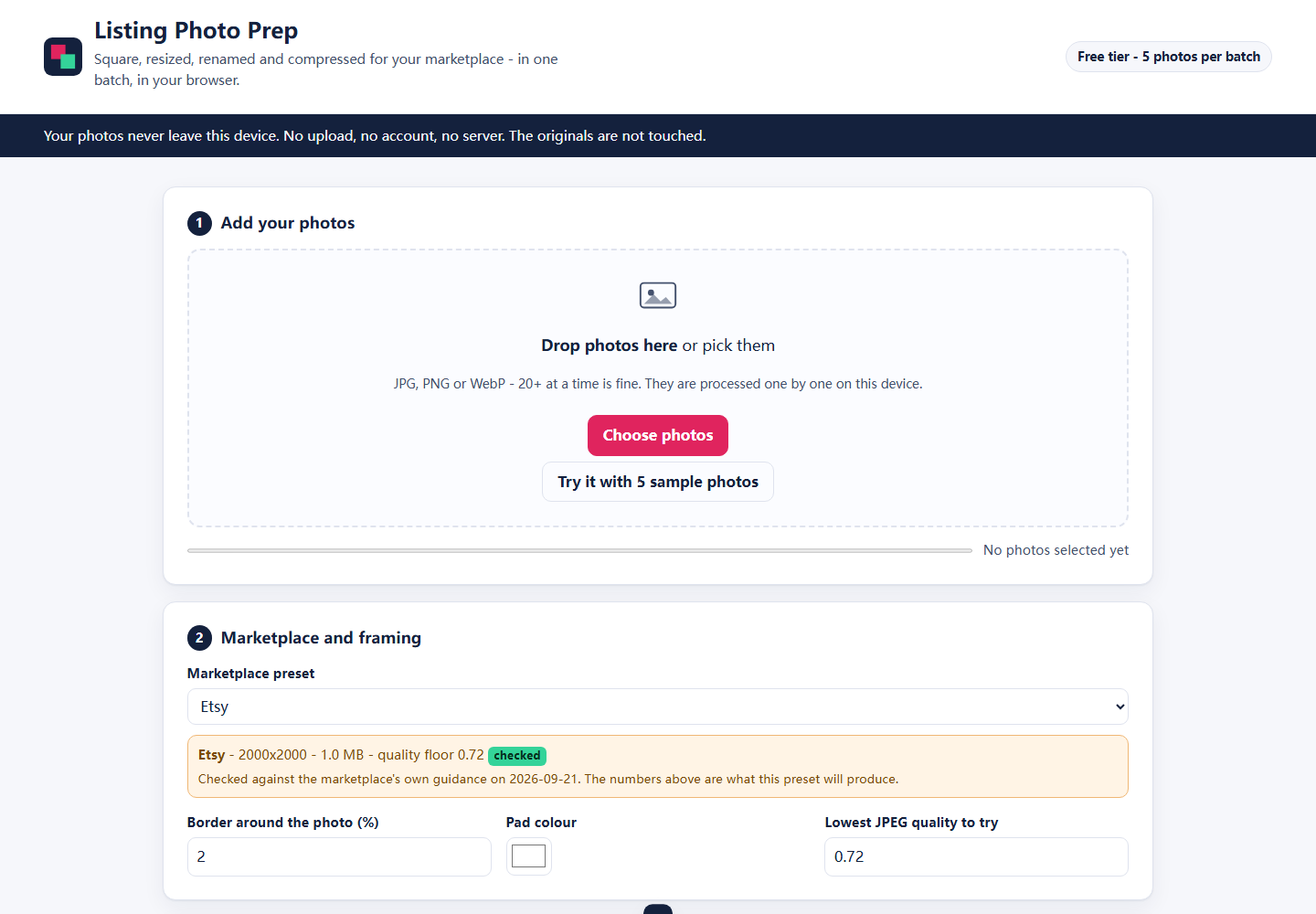
Drop a batch of photos, pick a marketplace preset, and get back correctly sized, square-padded, upright, metadata-stripped JPEGs named in listing order — inside one ZIP. It all runs in your browser tab. Your photos are never uploaded.
Free tier: 5 photos per batch, full quality, no account. The demo runs on synthetic sample photos — no real customer images are used anywhere in this build.
- Never uploaded. Decoding, padding, resizing, compressing and zipping all happen in your own browser tab. There is no server to upload to.
- No account, no email, no analytics. Open the page and work. Nothing to sign up for.
- Originals untouched. You download new files; your source photos are left exactly as they were.
- GPS and camera metadata stripped from the output JPEGs, because every export is re-encoded.
Why 90 seconds instead of 15 minutes
Preparing photos by hand is a loop you repeat once per photo. The loop is what disappears here.
By hand, photo by photo
- Open the photo in an editor
- Work out the crop or pad for the square
- Resize it to the size the marketplace wants
- Export a JPEG and hope it is under the size cap
- Rename it so the listings stay in order
- Repeat for every photo in the listing
- Select them all and zip them up
With Listing Photo Prep
- Drop the whole batch in
- Pick a preset (or set your own numbers once)
- Type the listing slug
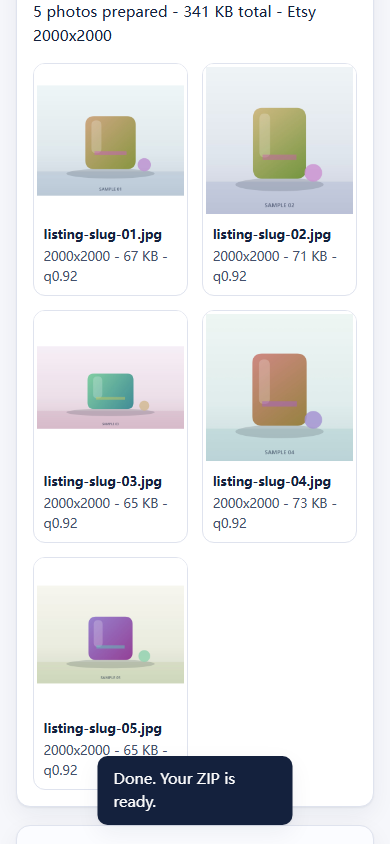
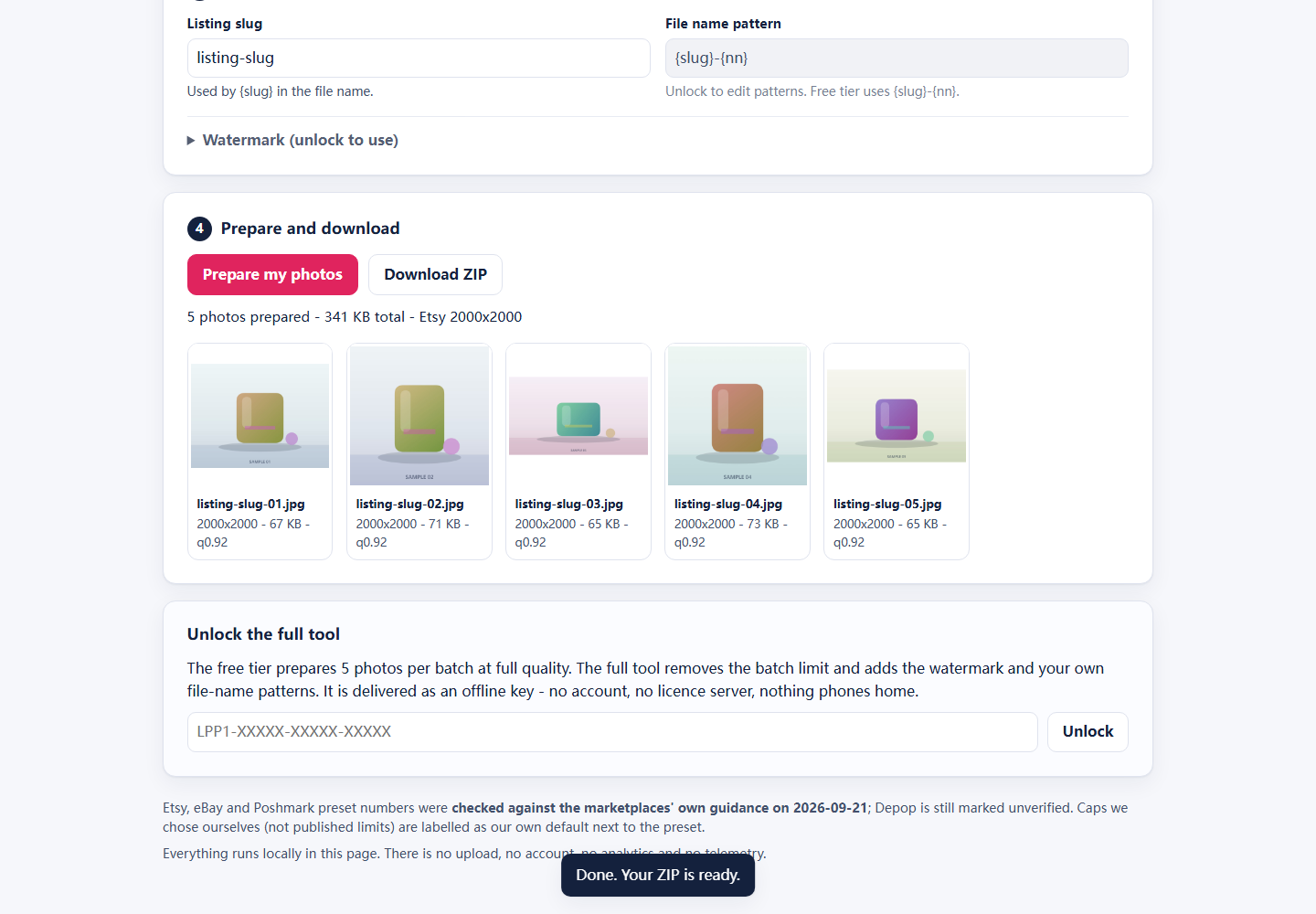
- Download one ZIP with 01, 02, 03 … in order
Illustration, not a benchmark: “about 15 minutes” describes the manual routine for a 25-photo listing, and the automated run is mostly bounded by your machine and your photo sizes. This build has not been timed on your hardware and we publish no measured speed claims.
How it works
Three steps, no install, no build step, no account.
Drop your photos
JPG, PNG or WebP, multi-select or drag-and-drop, 20+ files at once. Files are processed one at a time so the tab stays responsive, with a progress bar and a cancel button.
Pick a preset
Etsy, eBay, Depop, Poshmark — or set your own size, file-size cap and quality floor. Padding colour, border width, watermark and the rename pattern are all editable, and your last setup is remembered for next time.
Download one ZIP
Correctly sized, square-padded, EXIF-stripped JPEGs named in listing order, for example linen-shirt-01.jpg. One click, one file, ready to upload.
Presets you can edit without touching code
Each preset carries its output size, padding rule, file-size cap, quality floor and rename pattern. They live in a small data file, so when a marketplace changes its guidance you edit one line.
| Preset | Output shape | Target size | File-size cap | Status |
|---|---|---|---|---|
| Etsy | Square, padded | 2000 × 2000 | 1 MiB | Checked 2026-09-21 |
| eBay | Long edge, aspect kept | 1600 px long edge | 5 MiB (our default) | Checked 2026-09-21 |
| Depop | Square, padded | 1280 × 1280 | 5 MiB (our default) | Unverified |
| Poshmark | Square, padded | 1000 × 1000 | 5 MiB (our default) | Checked 2026-09-21 |
| Custom | Square or long edge, your choice | Your numbers | Optional | Yours |
Etsy, eBay and Poshmark were checked on 2026-09-21 against each marketplace's own guidance: Etsy recommends at least 2000 × 2000 px and warns that images over 1 MB may not finish uploading; eBay requires at least 500 px on the longest side and recommends 1600 × 1600; Poshmark sizes listing images at 1000 × 1000 px. Depop is still unverified — no official page was located, so its 1280 × 1280 is only the recurring third-party recommendation. Caps marked "our default" are conservative choices, not published marketplace limits. The full table with sources and dates lives in product/presets-spec.md.
Never silently oversized. If a preset's file-size cap cannot be reached at the quality floor, the app shrinks dimensions in 10% steps down to 60% of the target and, if it still cannot fit, hands you the file with a visible warning instead of quietly shipping an over-cap JPEG.
Your photos never leave your machine
This matters more than it sounds: product photos show your home, your stock and sometimes a location. The tool is built so that it cannot upload them, even by accident.
Why “never uploaded” is checkable
The app is plain HTML, CSS and JavaScript served as static files. There is no backend, no CDN, no analytics script and no external font to phone home to. Open your browser's network panel, or turn Wi-Fi off after the page loads, and run a batch — it still works.
What is stored, and where
Your settings — preset, padding colour, border percentage, quality floor, slug, watermark text and unlock state — are kept in your own browser's local storage so the next batch is one click. No cookies, no accounts, no server-side copy. Clearing site data wipes it.
Metadata, GPS and orientation
Photos that arrive rotated by their EXIF tag are straightened using that tag, and every export is re-encoded, so EXIF and GPS data in the JPEG you download are gone. Keep your originals if you need the metadata for your own records.
Pricing
One-time price, no subscription, no account. The free tier is meant to be genuinely usable — it is not a three-photo teaser.
No sign-up, no watermark, no expiry.
- 5 photos per batch
- Full output quality
- All presets and custom sizes
- Default file naming
- Nothing uploaded, ever
One-time. Recommended price — pending owner confirmation.
- Unlimited batch size
- Watermark overlay
- Editable rename templates
- Offline unlock key, no account
- Same no-upload guarantees
One-time. Recommended price — pending owner confirmation.
- Everything in Full tool
- Watermark brand kit
- Extra rename templates
- Reusable presets for repeat listings
No checkout exists yet. Both prices are recommendations on the record, not commitments: the payment provider, the final price and the refund policy are the owner's decisions. The buttons stay disabled until a store is connected, and nothing on this page collects payment details or email addresses.
Questions
Is it really private?
Yes, structurally: there is no server component. The page is static files, and every operation — decoding, rotating, padding, resizing, compressing and zipping — happens in your browser using the canvas API. You can verify it yourself: open the developer tools network tab, run a batch, and watch that no request carries your image data. Or disconnect from the internet after the page loads and run a batch offline.
Which marketplaces does it support?
Presets ship for Etsy, eBay, Depop and Poshmark, plus a Custom preset for anything else. Etsy, eBay and Poshmark were checked against each marketplace's own guidance on 2026-09-21; Depop is still flagged unverified in the app because no official page could be located. Caps that are our own conservative defaults are labelled as such, and every preset is editable data — a correction takes one line and no code change.
What file types can I drop in?
JPG, PNG and WebP — whatever your browser can decode natively. Output is always JPEG. Transparent PNGs are flattened onto the padding colour you choose. HEIC from an iPhone is a browser question: if your browser cannot decode it, the tool says so instead of producing a broken file.
Do I need Photoshop, Canva or Lightroom?
No. This is not an editor — it is the boring part after the editing: size, shape, padding, orientation, metadata, naming and compression. Edit your photos however you like, then run them through here.
What if my photos are already square?
Set the border percentage to 0 and switch padding off, and the tool only resizes, compresses and renames. Nothing is padded that does not need padding.
Will it strip GPS and camera data?
Yes. The EXIF tag is read once to rotate the photo the right way up, then the image is re-encoded through the canvas and exported as a fresh JPEG. The new file carries no EXIF or GPS block.
How big a batch can it handle?
The free tier caps a batch at 5 photos. Paid batches are unbounded in principle, but the practical limit is your machine's memory: photos are processed sequentially and released as they finish, so 20-30 ordinary camera photos work comfortably while a batch of many 50-megapixel files will be slower. If the tab runs out of memory the tool stops with a readable message instead of freezing silently.
Where do my files and settings go?
Finished JPEGs are delivered in one ZIP through your browser's normal download. Your settings stay in this browser's local storage on this machine. There is no cloud copy, no account and no history for us to lose.
What happens after I pay, and what about refunds?
Nothing on this page can take a payment yet, so this answer is still a draft for the owner to approve: the plan is a one-time purchase that delivers the tool and an offline unlock key immediately, with no subscription to cancel. A refund window and a support address still have to be decided and written down before anything is sold. Owner decision pending.
Try it with your own batch
Run the local preview, drop five photos in, and judge the output before any money is involved.